How to Track a Midwest Trucking Shipment Online
A Midwest trucking shipment can cross several states before reaching its destination. During that time, a tracking page can help you check its progress without calling the carrier for every update. With midwest trucking tracking, you may be able to view key milestones, such as pickup, terminal arrival, departure, and delivery. The exact details depend on the carrier and the service booked.
Keep your bill of lading number, PRO number, or shipment reference nearby. Enter the number on the carrier’s official tracking page, then compare the status with the latest confirmation from your shipper. Small details matter. A scan at a terminal may show that freight arrived there, but it does not always mean the shipment is ready for pickup. Weather, busy docks, and schedule changes can also affect estimated arrival times. Tracking information can lag. It happens.
For a clearer picture, check the shipment at practical intervals and note the time of each update. If a status has not changed beyond the carrier’s stated update window, contact the carrier or shipping representative with your reference number. Ask what the last confirmed location was and whether the delivery estimate has changed. Online tracking is useful, but it is not a live view of every truck. A little uncertainty remains; use the posted details as guidance, not a guarantee.
Understanding Midwest Trucking Shipment Tracking
How to Track a Midwest Trucking Shipment Online
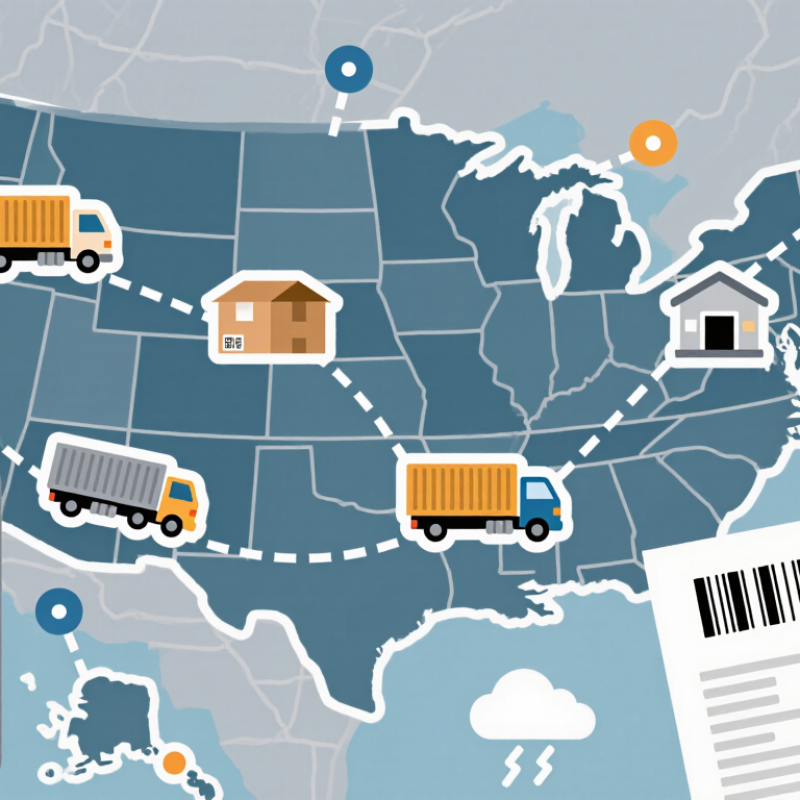
Understanding Midwest trucking shipment tracking starts with the shipment number, pickup ZIP code, or reference ID. Enter that information on the carrier’s tracking page. Check the latest scan, current terminal, estimated arrival, and delivery appointment. A moving truck may not update constantly. Many systems refresh after loading, arrival, departure, or delivery events.
The American Trucking Associations’ American Trucking Trends 2023 reported that trucks moved 72.6% of U.S. freight by weight in 2022. That scale explains why tracking data can appear in stages. A shipment traveling through Chicago, Des Moines, and Kansas City may show several hours without a new scan. Weather, congestion, equipment changes, and terminal handling can affect the estimate. Tracking is useful, but it is not perfect.
Tips: Save screenshots of each status update. Compare the estimated arrival with the delivery appointment. Call the shipping coordinator if the status remains unchanged beyond the normal transit window. Ask for the last physical scan, not only a system-generated estimate. Keep the reference number nearby. Small details matter. One weakness remains: online tracking may show location, but not cargo condition or unloading progress.
Entering Shipment Details on the Carrier’s Website
Tracking a Midwest trucking shipment starts with accurate entry on the carrier’s website. Keep the bill of lading, load confirmation, or freight reference number nearby. Enter every letter and digit exactly as shown. Remove extra spaces unless the form requires them. Many portals also request the pickup ZIP code, delivery ZIP code, or consignee name. These details help separate similar loads moving through Chicago, Des Moines, or Kansas City. A 2024 U.S. trucking industry statistical report states that trucks carry about 72% of domestic freight tonnage. That scale explains why small entry errors can produce confusing results.
After submitting the details, check the shipment status, last scan location, and recorded time. Note whether the time uses Central, Eastern, or local terminal time. “In transit” does not always mean the truck is moving. It may indicate a trailer awaiting transfer. Estimated delivery times can change after weather, congestion, or dock delays. I have seen a correct reference number show no result because the shipment was entered before its first terminal scan. Waiting a few hours and checking again often works, though the website may not explain the delay clearly.
Tips: Copy the reference number instead of typing it. Save a screenshot with the timestamp. Compare the online result with your paperwork. If the destination or freight description looks wrong, contact the carrier’s service desk before arranging labor. The 2024 State of Logistics Report places U.S. logistics costs near 10% of economic output, so careful tracking supports real operational decisions, not just convenience.
How to Track a Midwest Trucking Shipment Online - Entering Shipment Details on the Carrier’s Website
| Shipment Reference |
Origin |
Destination |
Pickup Date |
Estimated Delivery |
Current Status |
Last Recorded Location |
Last Update (CT) |
Tracking Entry Used |
| MW-240517-0184 |
Des Moines, IA |
Chicago, IL |
May 17, 2024 |
May 20, 2024 |
In Transit |
Davenport, IA |
May 18, 2024, 10:42 AM |
Shipment reference number |
| MW-240518-0276 |
Omaha, NE |
Minneapolis, MN |
May 18, 2024 |
May 21, 2024 |
At Terminal |
Sioux Falls, SD |
May 19, 2024, 7:15 AM |
Bill of lading number |
| MW-240519-0319 |
Kansas City, MO |
Milwaukee, WI |
May 19, 2024 |
May 22, 2024 |
Picked Up |
Kansas City, MO |
May 19, 2024, 3:28 PM |
Pickup reference number |
| MW-240520-0442 |
Green Bay, WI |
Cleveland, OH |
May 20, 2024 |
May 23, 2024 |
Out for Delivery |
Cleveland, OH |
May 23, 2024, 8:06 AM |
Shipment reference number |
| MW-240521-0528 |
St. Louis, MO |
Indianapolis, IN |
May 21, 2024 |
May 22, 2024 |
Delivered |
Indianapolis, IN |
May 22, 2024, 2:37 PM |
Bill of lading number |
Tracking tip: Enter the shipment reference number or bill of lading number exactly as shown in the shipping documents, then confirm the origin and destination before reviewing the latest status.
Interpreting Online Tracking Statuses and Updates
A Midwest shipment’s tracking page is a sequence of scans, not a live view from the cab. “Label created” usually means shipment information was entered, but the freight may not yet be moving. “Picked up” confirms carrier possession. “In transit” can cover several legs, including a drive between terminals or a wait for the next scheduled departure. That is normal. A terminal-arrival scan is more specific, while “out for delivery” generally means the final local route has begun.
Timestamps matter. A status posted at 6 p.m. may describe a scan made earlier, especially when a truck crosses rural areas with weak signal. The estimated delivery date is a forecast, not a promise; weather, dock queues, and missed connections can shift it. The 2024 MHI Annual Industry Report, based on responses from more than 700 supply-chain professionals, found that 55% planned to increase technology investment. More tracking tools do not make every update immediate, though. If “in transit” stays unchanged beyond the expected interval, compare the last scan location and time, then ask the carrier for the next planned checkpoint. “Exception” needs context: it may indicate a delay, address question, or operational hold, not a lost shipment. It is tempting to treat one vague label as a full explanation. It isn’t.
Resolving Delays or Missing Tracking Information
When a Midwest trucking shipment stops moving online, a quiet tracking page does not always mean the freight is lost. A pickup scan may take several hours to appear, especially after an evening collection or a weekend handoff. Check the shipment number carefully, then compare it with the bill of lading and pickup date. Small errors matter.
If the page still shows no movement, contact the shipping party or carrier with those details. Ask for the last confirmed physical scan, the terminal holding the freight, and the reason for any service exception. A status such as “in transit” can cover a long stretch between facilities, so request a realistic delivery window rather than relying on a generic estimate. Keep names, times, and promised follow-up dates in one note. It sounds fussy, but it helps.
For a delay, ask whether weather, road conditions, a missed connection, or an appointment change affected the route. These are possibilities, not proof; I would not treat a tracking label as a full explanation. If scans remain missing, ask the carrier to open a shipment trace and confirm who will update you. Then check back at the agreed time. Tracking systems are useful, but they can be vague, and waiting without a clear next step is frustrating.