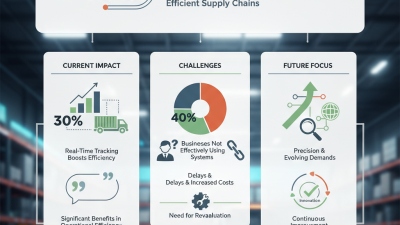
How to Use Pro Tracking for Global Shipments?

Global shipments rarely fail because one event is completely invisible. They fail when small signals arrive too late. A missed transshipment, a delayed port gate, or a temperature alert can quickly disrupt delivery promises. This is where pro tracking becomes practical, not decorative. It connects booking references, container numbers, carrier updates, milestone scans, and exception alerts in one working view.

UNCTAD’s Review of Maritime Transport 2024 notes that about 80% of global merchandise trade by volume moves by sea. That scale makes manual follow-up increasingly fragile. The DHL Global Connectedness Report 2024 also shows that international trade remains deeply interconnected, despite recent disruptions. Global logistics needs context, not merely more notifications. Jett McCandless, founder and CEO of project44, has said, “You can’t manage what you can’t see.” The principle is simple. The execution is not.

Effective pro tracking should begin before departure. Confirm the carrier, bill of lading, container seal, planned transshipment, and destination milestones. Then compare the promised ETA with live carrier and port data. Use geofences for major terminals. Set alerts for missed cutoffs, prolonged dwell time, route changes, and inconsistent status updates. The World Bank’s Logistics Performance Index 2023 treats tracking and tracing as a core logistics capability, reinforcing its operational importance.

Still, no dashboard is perfect. Data can lag. Carrier messages can conflict. A predicted ETA is not a guarantee. Strong teams verify critical events through carriers, forwarders, and port systems. They also record why an alert was ignored or acted upon. That imperfect feedback improves the next shipment. Reliable global tracking is built through disciplined checks, clear ownership, and honest review.

How to Use Pro Tracking for Global Shipments?

What Pro Tracking Means for Global Shipments

Pro tracking for global shipments means more than viewing a moving dot on a map. It connects departure scans, port handling, customs progress, and final delivery events in one timeline. This gives shipping teams clearer control over changing ETAs, missed connections, and unexpected delays. A useful system should show the latest event, its location, and the time of the next expected update. It should also separate confirmed information from estimates. That distinction protects customer trust.

It is not magic. Tracking data can arrive late when a container changes vessels or a local carrier misses a scan. I still compare the tracking record with booking details, transport documents, and warehouse notes. This simple check can reveal an incorrect reference number or an outdated delivery appointment. Those small errors often create larger problems.

Tips: Set alerts for port arrival, customs release, delivery exceptions, and long periods without updates. Record the last confirmed scan before contacting a carrier or logistics partner. Use clear status notes, such as “awaiting inspection” or “scheduled for local delivery.” Avoid promising an exact arrival hour when the route depends on several handoffs. Details matter. Reviewing the timeline each morning can help teams adjust inventory plans, inform customers honestly, and respond before a delay becomes expensive. Plans change. That is why reliable tracking needs human judgment, not blind confidence in a dashboard.
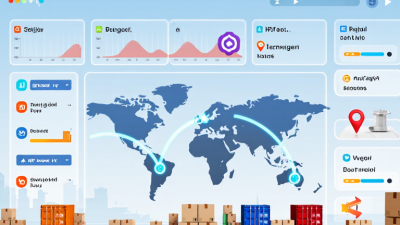

How to Prepare Shipment Details for Pro Tracking

How to Use Pro Tracking for Global Shipments?

How to Prepare Shipment Details for Pro Tracking

Accurate shipment details make global tracking more useful. Start with the complete sender and recipient information. Include names, phone numbers, email addresses, and full delivery locations. Avoid shortened addresses or unclear building numbers. A small error can delay an entire shipment.

Record the package count carefully. Enter each parcel’s weight, length, width, and height. Use the same measurement units throughout the shipment record. Add a clear description of the goods and their declared value. Keep the description specific, such as “cotton shirts” instead of “items.” Check that the invoice, packing list, and tracking form match. They often do not.

Use a reference number that your team can recognize quickly. Add the preferred delivery date and any safe delivery instructions. Before submission, review the destination’s current import requirements through reliable official sources. Requirements can change. I once found a tracking delay caused by one missing apartment number, not a transport problem. That mistake was simple, but costly in time. Keep digital copies of every submitted detail and note the local time of each update. Pro tracking works best when the original information is complete, consistent, and easy to verify.

How to Use Pro Tracking for Global Shipments? - How to Prepare Shipment Details for Pro Tracking

Before using global shipment tracking, prepare accurate package dimensions and weight. The chart compares actual weight with dimensional weight calculated using the common air-freight formula: length × width × height ÷ 5,000. The higher value may determine the billable weight, depending on the shipping service.

Tracking preparation tip: Keep the tracking reference, destination, package count, actual weight, dimensions, sender details, recipient details, and customs information consistent across the shipment documents.

How to Activate and Use Pro Tracking Step by Step

How to Use Pro Tracking for Global Shipments?

How to Activate and Use Pro Tracking Step by Step

Pro Tracking helps you monitor international shipments from pickup to delivery. Start by signing in to your shipping account and opening the tracking section. Select “Activate Pro Tracking,” then enter the shipment number, destination, package details, and contact email.

Check twice. A small typing error can attach updates to the wrong shipment. Confirm that the delivery address matches the commercial invoice and transport documents.

After activation, choose the alerts you need, such as departure, customs processing, transit delays, and delivery attempts. Keep notifications limited to useful events. Too many alerts can hide an urgent message.

Open the tracking timeline regularly, especially during weekends or weather disruptions. If the status remains unchanged for several business days, contact the carrier or logistics provider with the shipment number and last scan location.

Do not share private recipient information in public tracking forums.

For reliable records, save the activation time, estimated delivery date, and each major scan. I also compare tracking updates with warehouse logs before contacting support. It prevents unnecessary requests, though it is not always perfect.

Some scans appear late because different transport networks update at different times. Customs authorities may request accurate product descriptions, invoices, or permits, so provide only lawful and complete information.

Never use tracking tools to conceal restricted items or bypass required checks.

How to Read Global Tracking Updates and Statuses

How to Use Pro Tracking for Global Shipments?

Global tracking becomes useful when you read each update as part of a timeline. Do not treat every scan as a final answer. A status such as “Label created” means shipment data exists, but the parcel may not have moved. “In transit” usually indicates movement between facilities, not continuous travel. Time zones can make the same event look newer or older than expected. Pro tracking tools often show location, scan time, route, and estimated delivery date. Check all four details together.

When a parcel reaches a border, “Customs clearance” deserves careful attention. It may remain unchanged while officials review routine shipment information. “Exception” is broader and needs investigation. Look for notes about an address issue, missing information, weather, or a temporary facility delay. Do not guess from color codes alone. Contact the shipping provider when the same status remains unusually long. Keep the tracking number nearby.

In my experience, comparing two scans reveals more than watching the map animation. The map can look active while no new physical scan has occurred. Record the last confirmed location and its local timestamp. Then compare it with the promised delivery window. If the parcel says “Out for delivery,” prepare for a same-day attempt, but allow for local delays. “Delivered” should include a time and location detail. If that detail seems wrong, report it promptly. Tracking is helpful, not flawless. I still recheck unusual gaps before contacting support.

How to Resolve Delays, Errors, and Missing Tracking Events

Pro tracking for global shipments begins with reading the timeline, not trusting one status line. Experienced shipping teams compare the last physical scan with the promised delivery window. A parcel marked “in transit” for four days may be moving, waiting for a handoff, or missing an upload. Check the scan location, local time, and event type. Small details matter.

Delays often appear after cross-border handoffs. The origin carrier may close its record before the destination operator posts the next scan. Wait one reasonable business day, then verify the tracking number, service level, and destination address. If no event appears, contact the carrier with the shipment reference and last scan time. Ask for a depot inquiry, not a vague update. Act quickly. I once assumed a silent parcel was lost; it was held at a transfer facility. That mistake taught me to confirm physical custody before escalating.

Errors need a clean evidence trail. Save screenshots, scan timestamps, messages, and delivery instructions. Duplicate events can result from system synchronization, while an incorrect location may reflect timezone conversion. Missing delivery events deserve prompt action when the promised window has passed. Request a manual scan check and a written case number. Keep the recipient informed with exact facts, including what remains unknown. Tracking is useful, but it is not proof of movement. My own reports have sometimes sounded too certain during holiday congestion. “Awaiting verified scan” is often more accurate and easier to correct.

How to Use Pro Tracking for Global Shipments? - How to Resolve Delays, Errors, and Missing Tracking Events

Tracking Condition Typical Event Gap Most Likely Cause Data to Verify Recommended Action Escalation Trigger
Label created, no acceptance scan 24–48 hours The shipment data was submitted, but the parcel has not yet been physically received or scanned. Pickup time, handover receipt, parcel ID, and origin facility. Confirm handover with the shipper and request a first physical scan from the origin facility. No acceptance scan after 48 hours or no proof of handover.
In transit with no new event 2–5 business days Long-distance transport, weekend processing, consolidation, or delayed data transmission. Last scan location, transport mode, route, service level, and business calendar. Compare the last event with the planned route and allow for non-scanning transport segments. The shipment exceeds the published transit estimate or misses a committed delivery date.
Held for customs review 1–7 business days Incomplete commercial invoice, unclear goods description, missing tax details, or regulatory inspection. Declared value, HS classification, country of origin, importer details, and required permits. Provide corrected documents promptly and confirm who is responsible for duties or taxes. A document request remains unanswered for 1 business day or customs issues a formal hold.
Exception: address problem 1–3 business days Incomplete address, invalid postal code, inaccessible delivery point, or missing contact information. Recipient name, street, city, postal code, phone number, and local delivery requirements. Submit a complete address correction and request a delivery reattempt if available. The parcel is scheduled for return or the correction window is about to expire.
Tracking number rejected Immediate Incorrect number format, transposed characters, unsupported carrier reference, or an unactivated number. Character count, prefix, check digit, shipment reference, and source system record. Copy the number directly from the shipping record and validate it against the original shipping document. The number remains invalid after one correction and source-record comparison.
Duplicate or conflicting events Same day Multiple data sources, time-zone conversion, event retries, or a parcel ID reused in a connected system. Event timestamps in UTC, scan location, event code, parcel ID, and source system. Sort events by UTC time, remove duplicate messages, and prioritize physical scans over system-generated updates. Conflicting events change the delivery status or indicate movement in two locations at once.
Delivered but recipient cannot locate parcel 0–24 hours Safe-place delivery, reception-room handoff, neighbor acceptance, early scan, or incorrect delivery location. Delivery timestamp, proof of delivery, signature, GPS or location note, and recipient confirmation. Check nearby safe places and building reception, then request proof-of-delivery details and a driver inquiry. The parcel is still missing after local checks or proof of delivery conflicts with the address.
No movement after customs release 24–72 hours Transfer to the local delivery network, warehouse backlog, missed dispatch connection, or delayed event synchronization. Release timestamp, destination facility, handoff reference, delivery estimate, and local contact details. Ask for the post-clearance handoff status and confirm the next expected physical scan. No destination-facility scan after 72 hours or delivery commitment is at risk.
Possible loss or prolonged inactivity 5–10 business days Misrouting, damaged or unreadable label, incorrect container assignment, or parcel loss during handoff. Last confirmed scan, package dimensions, declared contents, packaging condition, and chain-of-custody records. Open a formal trace request, attach the invoice and shipment description, and preserve all tracking evidence. No physical scan within the applicable investigation period or the trace request is unsuccessful.
Returned to sender 1–14 business days Unpaid import charges, failed delivery attempts, prohibited contents, invalid address, or customs refusal. Return reason code, attempted-delivery history, customs notes, address record, and available re-delivery options. Confirm the return destination, determine whether correction is possible, and arrange a replacement shipment if necessary. Return movement has begun or the parcel cannot be redirected before final return processing.
Recommended tracking workflow: Validate the tracking number, review the last physical scan, compare the event timeline with the expected route, verify customs and delivery data, then escalate according to the applicable trigger.