
How to Track Dohrn Transportation Shipments in 2026?

Moving freight without visibility can feel like watching a sealed trailer disappear into traffic. For shippers, dohrn transportation tracking provides a practical way to monitor Less-than-Truckload shipments from pickup through delivery. A PRO number, shipment reference, or bill of lading usually becomes the starting point. Entering accurate details matters. One incorrect digit can return no result.

The need for reliable tracking is clear. CSCMP’s 2024 Annual State of Logistics Report estimated that United States business logistics costs reached $2.3 trillion in 2023, equal to 8.7% of the national economy. That scale makes small delays expensive. A missed appointment may affect dock labor, inventory planning, customer communication, and final-mile scheduling. The American Trucking Associations also reports that trucks carry roughly 72.6% of domestic freight tonnage in the United States. LTL visibility therefore supports a major part of the supply chain, not merely a customer-service feature.

This guide explains how to check Dohrn shipment updates, interpret common status messages, and respond when information appears delayed. Look closely. “In transit” does not always mean the trailer is moving at that moment. It may reflect the latest terminal scan. Dohrn transportation tracking can improve decisions, but it cannot replace confirmation from the carrier or terminal team. Tracking data may arrive late, especially around weekends, weather events, or appointment changes. That limitation deserves attention. A careful process combines the online result, shipment documents, delivery requirements, and direct verification when timing becomes critical.
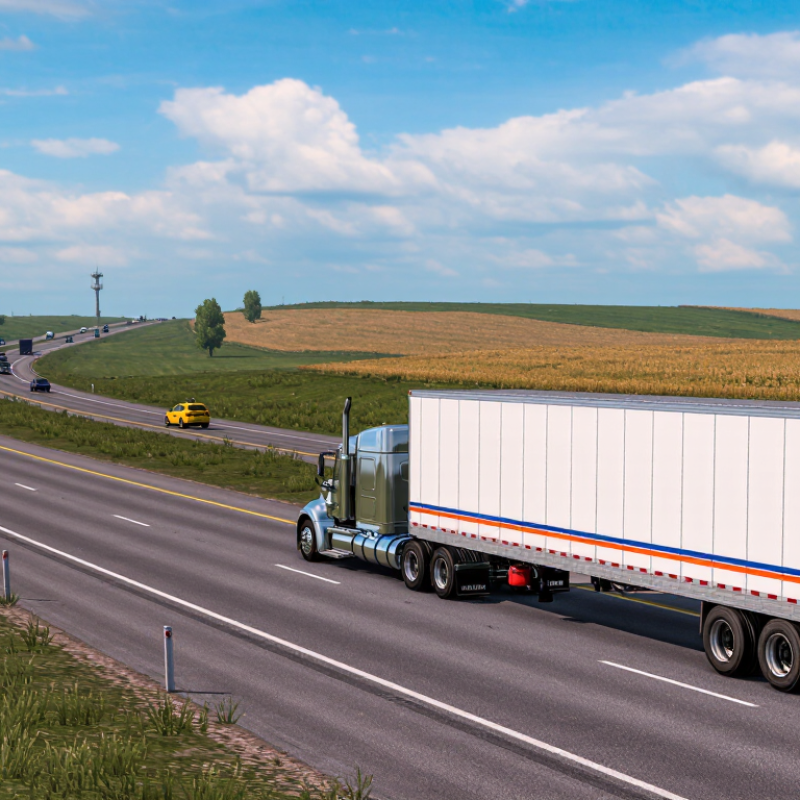
How to Track Dohrn Transportation Shipments in 2026?

Dohrn Transportation Shipment Tracking: An Overview

Shipment tracking for a regional freight carrier usually begins with a PRO number, bill of lading number, or purchase order reference. Enter that identifier in the carrier’s official tracking portal. Check every digit carefully. One incorrect number can return a confusing “not found” message.

A shipment overview normally shows the pickup date, origin terminal, destination terminal, and latest scan. Status terms may include “picked up,” “in transit,” “arrived at terminal,” or “out for delivery.” Some systems also display estimated delivery dates and appointment details. I recommend saving a screenshot after each major update. It creates a useful record when several pallets move under one order.

Tracking data is not always instant. Terminal scans can appear hours later, especially after weekends, weather delays, or handoffs between facilities. That gap can feel alarming. It does not always mean the freight stopped moving. Compare the latest scan with the promised delivery window and the delivery address. Contact the carrier’s support team when the status remains unchanged beyond that window. Provide the reference number, shipment date, pallet count, and receiving hours. Be precise. Vague questions often produce vague answers. Mistakes happen, even with careful systems.
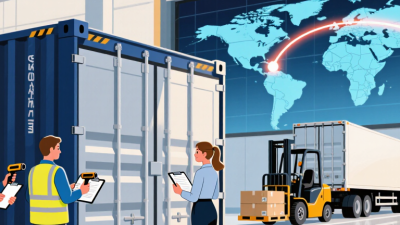

Finding the Correct Dohrn Shipment Tracking Information

Finding the correct shipment tracking information starts with identifying the right reference number. For freight deliveries, this may be a PRO number, bill of lading number, pickup number, or purchase order number. Do not rely on the customer name alone. Names can appear differently in carrier systems. Check the shipping confirmation, delivery receipt, or dispatch email for the exact digits. One missing number can produce no results.

Tips: Enter the reference number without extra spaces or punctuation. Confirm the origin city, destination ZIP code, and pickup date. If several numbers appear, try the PRO number first. Compare the displayed shipment details with your documents. A matching destination is a useful safety check.

Tracking updates may not appear immediately after pickup. Freight can move through terminals before the next scan becomes available. Weather, weekend schedules, manual data entry, or a missed scan can create gaps. That delay does not always mean the shipment is lost. Still, repeated gaps deserve attention. Contact the carrier’s official service team when the status remains unchanged beyond the expected transit window. Keep your reference number ready, and record the time of each inquiry. I have found that written notes prevent confusion, although they cannot correct inaccurate shipment data. When the information conflicts, verify the original shipping document before making delivery plans.

Entering Shipment Details on the Tracking Platform

How to Track Transportation Shipments in 2026

Entering shipment details correctly is the first control point in digital freight tracking. Open the tracking platform and select the correct search method. Use the shipment number, purchase order number, or transport reference. Copy every character carefully. One wrong digit can return a misleading “not found” result.

Add the origin, destination, pickup date, delivery window, and package count when requested. Enter weight and dimensions using the platform’s stated units. Check whether the shipment is moving by road, rail, air, or sea. These details help the system match scans and estimated arrival times. The World Bank’s 2023 Logistics Performance Index assessed 4,090 logistics professionals across 139 countries. Its framework treats tracking and tracing as a core logistics capability. That makes accurate data entry more than an administrative task.

Review the details before pressing Search. I still double-check dates, especially when crossing time zones. A small mistake remains possible. If the result looks unusual, compare the last scan location with the expected route. Look for status changes, facility timestamps, and exception notes. The U.S. Department of Transportation reports that freight movement depends on connected transport networks, so one delayed transfer can affect later updates. Avoid entering private information unless the platform requires it. Save a screenshot of the reference and status time for internal records. Then check again after the next expected scan.

Interpreting Dohrn Shipment Status Updates

Shipment tracking becomes useful when each status is read as an operational event, not a promise. “Label created” usually means shipment information was entered, but the freight may not have moved. “Picked up” confirms physical collection. It does not guarantee immediate departure from the origin facility.

“In transit” can cover several stages, including linehaul movement, terminal handling, or a transfer between vehicles. A shipment may show the same status for one or two days. That pause is not automatically a problem. Check the scan time, location, and time zone before contacting support. A morning update in one region may appear later in your local time.

“Arrived at terminal” means the shipment reached a handling facility. It may still require sorting or scheduling. “Out for delivery” is more specific, but delivery windows can change because of traffic, dock delays, weather, or address questions. “Exception” deserves closer attention. Read the accompanying note, especially if it mentions an appointment, damaged packaging, missing details, or an attempted delivery.

I once treated a quiet tracking page as evidence of lost freight. That assumption was wrong. The next scan appeared after a terminal transfer. Tracking is not a live map. It is a record of scanned events, and records can lag behind movement. Keep the shipment reference, pickup date, destination, and latest scan available when requesting clarification. Photos of labels and delivery documents can also prevent avoidable confusion.

How to Track Shipment Progress in 2026: Interpreting Shipment Status Updates

Shipment tracking statuses generally progress from label creation to pickup, transit, arrival at the destination facility, out-for-delivery, and final delivery. The chart shows the usual sequence of milestones rather than carrier-specific performance data.

How to read the updates: “Label Created” means shipment information has been submitted, while “Picked Up” confirms the package entered the carrier network. “In Transit” indicates movement between facilities. “At Destination Facility” means it has reached a local or regional facility, and “Out for Delivery” indicates the final delivery route has started. “Delivered” confirms the shipment was recorded as completed.

Resolving Delays, Errors, and Tracking Issues

How to Track Transportation Shipments in 2026?

When a shipment stops moving, check the last physical scan before contacting support. A location update is not always a movement update. Compare the pickup scan, terminal arrival, departure time, and delivery appointment. A missing scan may indicate a device error, not a lost shipment.

Record the tracking number, reference number, scan timestamp, and displayed exception code. Then request a manual trace with the carrier’s operations team. Keep screenshots. Small details matter.

The 2024 Annual State of Logistics Report estimated U.S. logistics costs at $2.3 trillion in 2023, equal to about 8.7% of GDP. Delays create financial pressure quickly, especially when storage or missed appointments follow.

The 2024 MHI Annual Industry Report also found that 55% of respondents planned to increase supply-chain technology investment. Yet better software cannot correct incomplete scans or incorrect addresses. That part is often overlooked.

Check the consignee address, phone number, dock hours, and delivery restrictions before escalating. If a shipment shows “delivered” but no signed proof exists, request the delivery record and review the location details.

If tracking remains unchanged for 24 hours, ask for a written status and a realistic next update. I have found that vague promises create another delay. Clear timestamps work better.

Be careful, though: tracking systems can be wrong, and manual confirmation still matters.