How to Track a Freight Package Worldwide?
How to Track a Freight Package Worldwide? The answer begins with a clear reference number, a reliable carrier source, and realistic expectations. Freight package tracking can show when a shipment is booked, collected, transferred, or delivered. It may not reveal every movement in real time. A container crossing an ocean, for example, can go quiet between port updates. That gap can feel worrying, but it does not always mean something has gone wrong.
Freight visibility specialist Elena Morris puts the practical point this way: “A tracking update is a useful signal, not the whole shipment story.” This guide follows that idea. It explains where to find a tracking number, how to use carrier and multi-carrier tracking pages, and what common status messages usually mean. You’ll also learn why reference numbers differ, why scans can be delayed, and when to contact the carrier or freight forwarder. Small details matter. Check the number carefully, compare the latest scan with the estimated delivery window, and keep shipment documents nearby.
Tracking is not perfect. A status may be late, vague, or briefly unchanged, especially when freight moves between carriers or facilities. It is tempting to assume the worst. Pause, verify the source, and look for the next confirmed event. For high-value or time-sensitive freight, ask the provider what milestones and notifications are available before dispatch. The goal is not to watch every mile. It is to spot meaningful changes and know what action to take.
Gather the Freight Shipment Details and Tracking Reference
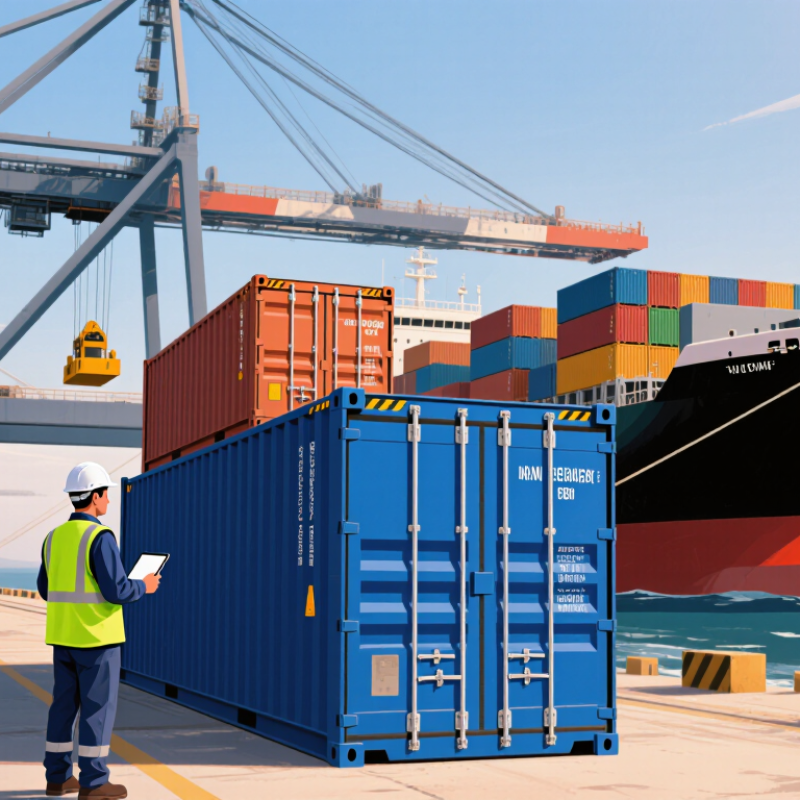
Tracking freight worldwide starts with accurate shipment details, not repeated searches. Save the booking confirmation, bill of lading or air waybill, and carrier-issued tracking reference. These identifiers are not interchangeable. A container number may locate the equipment, while a shipment reference may identify the booking or consignment. Copy every letter and digit exactly, including leading zeros. One typo can return no result.
Record the origin, destination, dispatch date, transport mode, package count, and shipment contact. For ocean freight, note the container number and vessel or voyage details when available. For air cargo, retain the air waybill number. Keep these details together in a dated note, perhaps beside a photo of the shipping label. A paper copy can feel old-fashioned, but it helps when mobile access fails.
The World Bank’s 2023 Logistics Performance Index reports an average 44-day journey from export port to import port. That long window makes accurate references useful when tracking milestones pause or handoffs change. Check the reference against the shipping document before requesting an investigation. If a scan is missing, share the document date and route too. Records can be incomplete, so a missing update alone does not prove the cargo has stopped moving.
How to Track a Freight Package Worldwide? - Gather the Freight Shipment Details and Tracking Reference
| Shipment detail |
Example information |
Why it helps with tracking |
| Tracking reference |
FR-260815-748392 |
Enter the reference exactly as shown on the booking confirmation or shipment document. |
| Shipment type |
Ocean freight, full container load (FCL) |
The transport mode indicates which tracking events to expect, such as vessel departure and port arrival. |
| Origin |
Ningbo, China |
Use the named origin port to distinguish this shipment from other records with similar references. |
| Destination |
Rotterdam, Netherlands |
Confirms the intended destination port and helps identify the correct arrival updates. |
| Container number |
ABCU 123456 7 |
A container identifier can help locate equipment-level events when a tracking reference is not sufficient. |
| Bill of lading number |
BL-NBRT-260815-042 |
This document reference may be requested when checking shipment records or contacting the freight service provider. |
| Latest status |
Delivered |
Check the latest event and its timestamp; status updates may appear at different times across tracking systems. |
| Estimated transit |
Approximately 35–45 days, port to port |
Transit times are estimates and can change due to port congestion, customs processing, or schedule changes. |
Illustrative tracking history
| Date and time (local) |
Location |
Tracking event |
| 15 Aug 2026, 14:20 |
Ningbo, China |
Shipment information received; export booking confirmed. |
| 18 Aug 2026, 09:45 |
Ningbo, China |
Container received at the origin port terminal. |
| 22 Aug 2026, 18:10 |
Ningbo, China |
Vessel departed; export clearance completed. |
| 30 Aug 2026, 07:30 |
Singapore |
Transshipment recorded; onward voyage scheduled. |
| 19 Sep 2026, 11:05 |
Rotterdam, Netherlands |
Vessel arrived at destination port. |
| 21 Sep 2026, 16:40 |
Rotterdam, Netherlands |
Import customs released; container available for collection. |
| 23 Sep 2026, 13:15 |
Rotterdam, Netherlands |
Final delivery completed; proof of delivery recorded. |
Sample tracking data for illustration only. Event names, time zones, and update availability vary by shipment and tracking system.
Identify the Carrier and Its International Tracking Portal
A freight shipment can pass through several networks before reaching its destination. Start with the shipping label, booking confirmation, or dispatch notice. Look for the carrier name and the tracking or reference number. Freight documents may list a local pickup company rather than the company handling the international journey. Check the sender’s details if the name is unclear.
Use the carrier’s official website and find its international tracking portal. Enter the number exactly as shown, including any letters or leading zeros. Small errors matter. If the portal does not recognize it, the shipment may not have received its first scan yet, or the number may belong to a partner carrier. Wait for the stated processing window, then check the paperwork for a second reference number. Tracking systems can be uneven, and a quiet page does not always mean a lost shipment.
For a carrier handoff, look for a transfer note or a new tracking number in the shipment updates. Some official portals link to a partner’s tracking page; others require you to enter the new number separately. Match the shipment details, such as origin, destination, and pickup date, before relying on a result. If the records conflict, contact the sender or carrier with the reference number and document date. Keep screenshots of status changes. They can make a delayed inquiry clearer.
Enter the Tracking Number and Review Shipment Events
To track a freight package worldwide, begin with the tracking number. Enter it exactly as shown on the shipping document, including letters, numbers, and any leading zeros. A single incorrect character can return no result. Use the carrier’s official tracking page or a trusted logistics platform, then confirm the package origin, destination, and service type.
Review each shipment event, not only the latest location.
“Label created” means information was received, but the parcel may not have moved. “Accepted” confirms physical handover. “In transit” can cover several facilities, customs processing, or long-distance transport. “Arrived at destination facility” usually indicates regional handling, not final delivery. Keep the timestamps and local time zones in mind. They can look confusing.
The United Nations Conference on Trade and Development reports that more than 80% of global merchandise trade by volume moves by sea. Ocean shipments may therefore show fewer updates than air or road freight. The 2023 Logistics Performance Index also treats tracking and tracing as a core logistics capability, alongside customs and infrastructure.
Still, tracking data is not a live map. Delays can occur before an event is uploaded. I have seen a package remain unchanged for two days, then receive several scans at once. That gap deserves attention, but not immediate panic. Compare the promised delivery window with the event history, check for address or customs requests, and contact the shipping provider when the status exceeds the stated timeframe.
Interpret Transit Statuses Across Countries and Carriers
A worldwide tracking page may show familiar words, but their meaning can shift between carriers and countries. “Accepted” usually means a parcel entered a carrier’s network; it does not always mean it has left the sender’s city. “In transit” can cover a truck ride, an airport wait, or a transfer between delivery partners. Read each status as a checkpoint, not a live map. The timestamp and location often tell you more than the label alone.
Some scans appear in local time, while others use the origin country’s time zone. A parcel marked “departed facility” at 11 p.m. may seem to move backward when the next scan appears hours earlier elsewhere. That can be normal. Cross-border shipments may also pause while records are reviewed or handed to a local carrier. “Out for delivery” generally signals the final route, though a missed scan or an unexpected delay can change the plan. It happens.
Compare the latest event with the previous one. A new city usually indicates movement; repeated entries at one facility may simply reflect sorting updates. If tracking stays unchanged beyond the carrier’s stated delivery window, contact the sender or delivery service with the tracking number and last scan details. Avoid assuming a package is lost after one quiet day. Tracking systems are useful, but they are not perfectly synchronized—and sometimes the status wording is less clear than it should be.
Resolve Tracking Gaps, Delays, or Delivery Exceptions
How to Track a Freight Package Worldwide?
A tracking gap can feel alarming, especially when a shipment crosses several borders or changes transport modes. A quiet tracking page does not always mean the freight is lost. Scans may pause during terminal handling, customs processing, or a handoff between carriers. Check the latest event time and location before reacting. Then compare it with the expected route and delivery window. A few hours without movement may be routine; several business days deserve a closer look. I still find that time zones make a simple delay harder to judge than it should be.
Tips: Save the tracking number, shipment reference, and last scan. Note the date, local time, and exact status wording. If the page shows “exception,” contact the shipping coordinator or carrier with those details. Ask what action is needed, who is handling the next step, and when another update is expected. Keep the reply. It helps prevent repeated calls and conflicting advice.
For a delivery delay, confirm the destination address, receiving hours, and whether an appointment is required. For a missing scan, request a trace and ask when the freight was last physically confirmed. If delivery is marked complete but the package is absent, check with the receiving desk and nearby loading area, then request delivery evidence. Status messages can be vague, and sometimes the first answer is incomplete. Follow up at the promised time, and record each response.
How to Track a Freight Package Worldwide
This illustrative example shows the share of shipments with a recorded tracking update at each milestone. Lower visibility around export and ocean or air transit can indicate tracking gaps—not necessarily lost freight. Check the carrier or forwarder’s latest scan, allow for handoff delays, and investigate exceptions such as customs holds or missed delivery attempts.